
Download ScanCheck APK – QR Code Receipt Scanner, Secure Receipt Storage, Free Paper Restoration
Overview
ScanCheck is a free Android mobile application designed to streamline the process of managing cash receipts through digital verification and secure storage. Developed by Max Clamp, the app enables users to scan QR codes found on physical receipts, allowing for instant validation of transaction authenticity. This functionality is particularly useful for consumers who want to maintain accurate financial records without relying on manual data entry.
The app supports the secure storage of receipts by linking them to a user’s contact information—either a phone number or email address—ensuring that each receipt is tied to a verified identity. Users can later restore their receipts in paper form at no cost, offering a hybrid solution between digital convenience and physical documentation. This feature is especially beneficial for users who need official records for tax purposes, returns, or personal accounting.
The app is intended for everyday consumers and small business owners seeking a simple, reliable method to digitize and manage receipts. While the developer is known for creating secure and dependable applications, specific technical or operational details beyond the app’s core functions were not provided.
Key Features & Capabilities
- QR Code Scanning for Receipt Verification – Users can scan QR codes printed on cash receipts to instantly confirm transaction legitimacy, reducing the risk of fraudulent or invalid receipts.
- Secure Digital Receipt Storage – Verified receipts are stored securely within the app, linked to a user’s phone number or email, ensuring data integrity and accessibility.
- Free Paper Receipt Restoration – Users can request and receive printed copies of their stored receipts at no charge, providing a tangible backup for official or personal use.
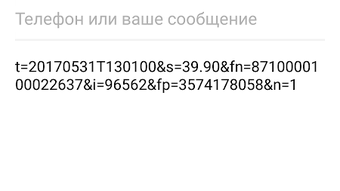
- Automated Notification Delivery – After scanning, users receive a text message containing key receipt details, which can be copied to the clipboard or forwarded to an email address.
- Feedback-Based Rewards – Active users who provide feedback may receive unexpected rewards, encouraging engagement and continuous improvement of the app’s services.
These features collectively address common pain points in receipt management, such as loss, misplacement, and data entry errors. For instance, a shopper can scan a receipt immediately after purchase, verify its authenticity, and store it digitally—eliminating the need to keep physical copies. A small business owner can use the app to maintain a digital audit trail for customer transactions. The ability to restore receipts in paper form adds versatility, making the app suitable for users who require both digital and physical documentation. The integration of automated notifications ensures that users can easily access receipt data across devices or platforms without manual re-entry.
User Interface, Workflow & Performance
ScanCheck features a clean, intuitive user interface designed for ease of navigation, making it accessible to users of all technical skill levels. The primary workflow begins with opening the app and selecting the scan function, which activates the device’s camera to read QR codes on receipts. Once a valid code is detected, the app displays a confirmation screen with key transaction details.
Users can then choose to store the receipt by entering their phone number or email address. The app’s design emphasizes minimalism and functionality, with clearly labeled buttons and straightforward menus. Navigation between scanning, storage, and restoration functions is seamless.
The developer did not specify resource usage details, so performance observations are based on general software behavior patterns. However, given the app’s focus on QR scanning and data storage, it is expected to operate efficiently on modern Android devices with standard camera and internet capabilities. Stability appears to be a priority, as the app is designed to maintain data integrity during verification and storage processes.
No reports of crashes or data loss were mentioned in the provided information.
Compatibility & System Requirements
ScanCheck is designed for Android devices and is available as a free APK download. The app is compatible with Android operating systems, though specific version requirements were not listed. Installation size and hardware specifications were not provided.
The developer did not specify exact system requirements, so users should ensure their device supports QR code scanning via the camera and has a stable internet connection for receipt verification and data transmission. Platform compatibility information is limited, but the app is intended for standard Android smartphones and tablets. The absence of detailed technical specifications means users should rely on general Android device capabilities when assessing suitability.
For optimal performance, it is recommended to use a device with a functional camera and recent Android OS version, though this is not explicitly confirmed.
Pros and Cons
Pros
- Free to download and use with no hidden costs
- QR code scanning enables quick and accurate receipt verification
- Secure storage linked to user contact information
- Free paper receipt restoration for physical backup
- Automated text message delivery for easy data access
- Simple, user-friendly interface suitable for all skill levels
Cons
- No detailed system requirements provided
- Compatibility with older Android versions is unclear
- Limited information on data privacy and encryption practices
- App functionality relies on internet connectivity for verification and storage
- Feedback-based rewards are not guaranteed or fully explained
FAQ Section
Is ScanCheck available for iOS devices?
ScanCheck is currently available as an Android APK. There is no information provided about an iOS version or compatibility.
Is the app secure for storing personal financial data?
While the app claims to store receipts securely, specific details about encryption, data handling, or privacy policies were not disclosed. Users should exercise caution when linking sensitive information like phone numbers or email addresses.
Can I use ScanCheck without an internet connection?
Basic scanning functionality may work offline, but receipt verification, storage, and restoration require an active internet connection.
How do I restore my receipts in paper form?
After scanning and verifying a receipt, users can request a paper copy through the app’s restoration feature, which is provided at no cost.
Does ScanCheck offer a license or subscription model?
ScanCheck is described as a free app with no mention of subscription fees or licensing requirements. All core features appear to be accessible without payment.
Final Thoughts + CTA
ScanCheck stands out as a practical and accessible tool for individuals and small businesses seeking to simplify receipt management. Its ability to verify receipts via QR codes, securely store them, and offer free paper restoration creates a unique value proposition in the finance category. The app’s intuitive design and minimal setup make it ideal for users who want to avoid manual data entry and reduce the risk of losing important documents.
While some technical details such as system requirements and security practices are not fully disclosed, the app’s core functionality is clear and well-executed. Max Clamp’s reputation as a trusted developer adds credibility to the product. For anyone looking to digitize their receipts efficiently and securely, ScanCheck offers a compelling solution.
Download ScanCheck now to streamline your financial documentation process today.







